 Poltava Svitlo
Free app for Android and iPhone
Poltava Svitlo
Полтава Світло
The Poltava region power outage schedule, always on your phone
Get notified about schedule changes and emergency outages, receive reminders before the power goes off or comes back, and check the current status on a home screen widget.


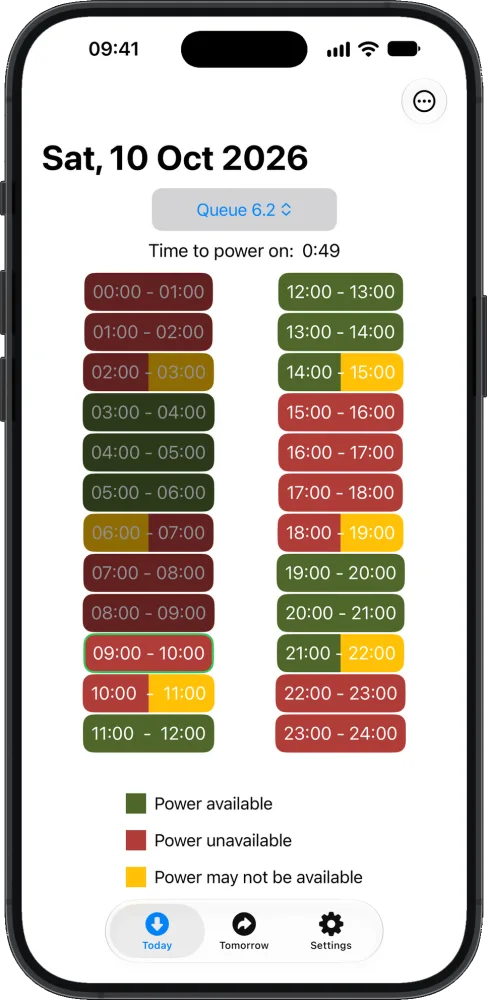
App features
Everything you need to know about power outages in advance and plan your day.
Schedule change alerts
When Poltavaoblenergo updates the hourly outage schedule, you get a notification listing the queues affected. The app also lets you know when tomorrow's schedule is published.
Emergency outages
The app warns you when the emergency outage schedule (GAV) is in effect in the Poltava region.
Power off and power on reminders
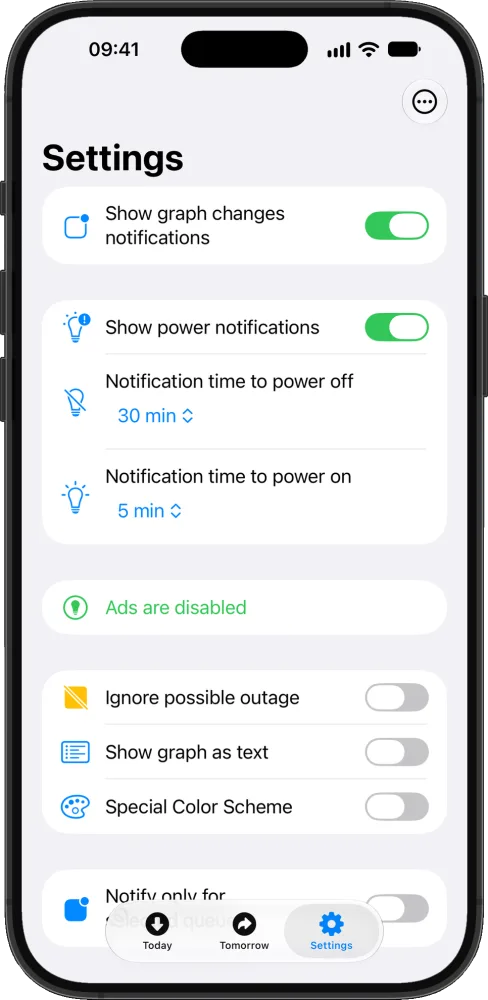
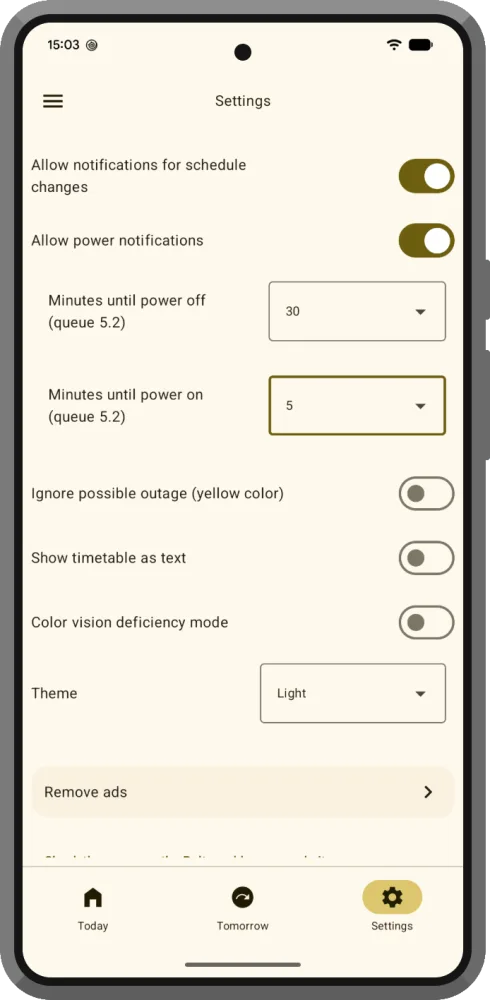
Choose how many minutes before the power goes off or comes back to be reminded, so you have time to charge your phone and finish what you are doing.
Home screen widget
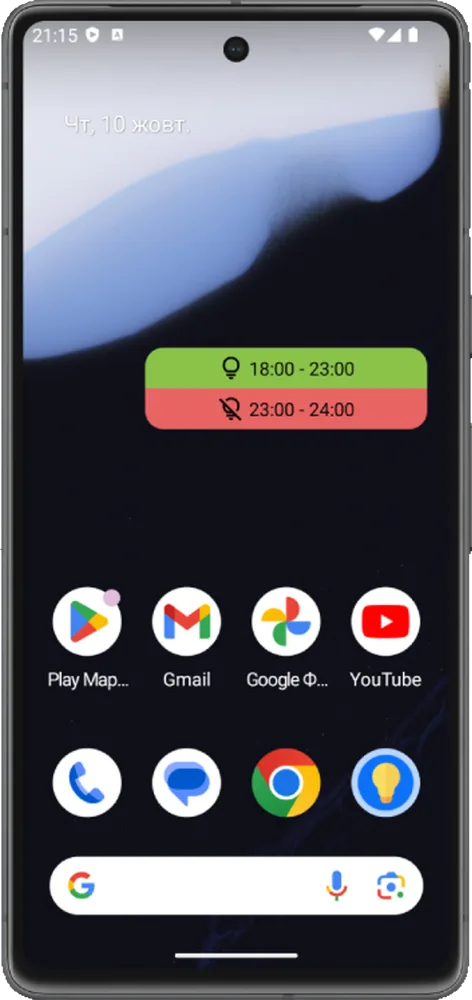
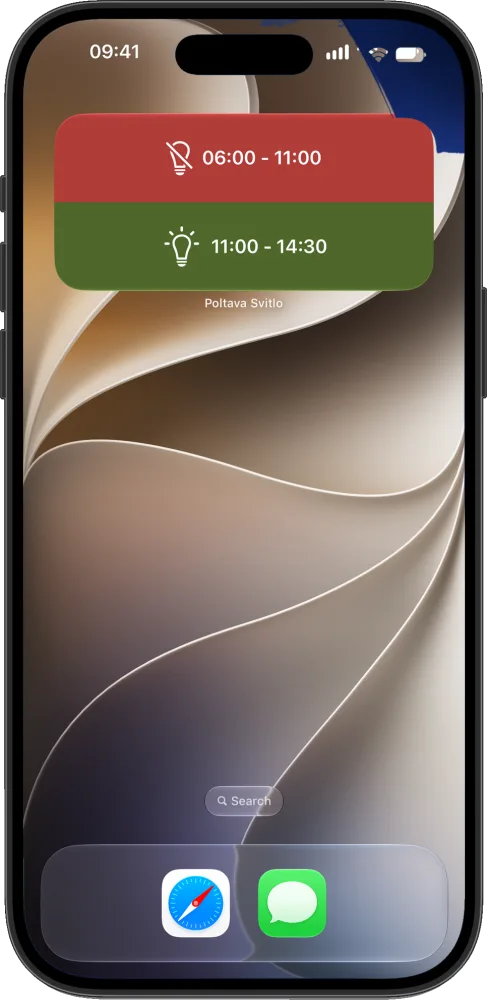
Shows whether the power is on right now and when the next outage or restoration is, without opening the app. Available on Android and iPhone.
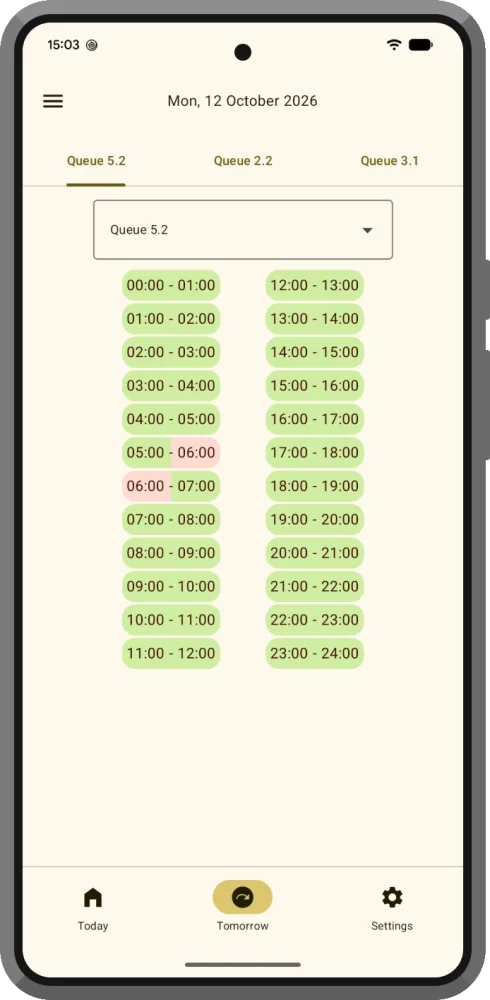
Today and tomorrow
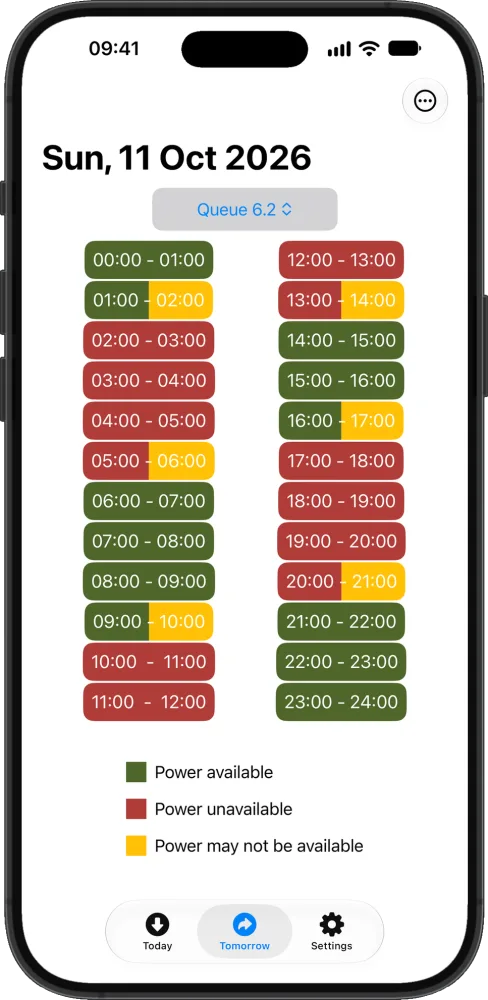
The schedule for two days, a countdown to the next change and the number of hours with and without power.
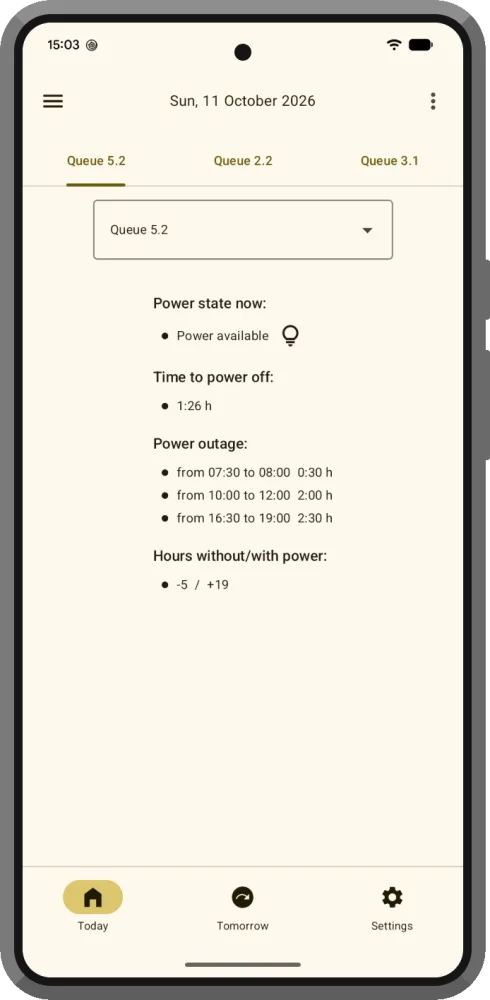
Text schedule
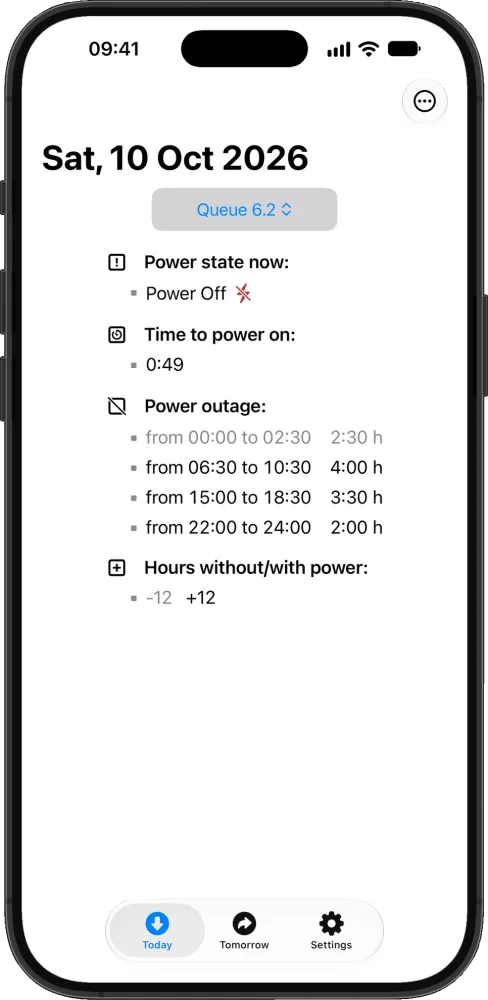
The schedule as text: whether the power is on now, how long until it goes off or comes back, the list of outages and the number of hours with and without power.
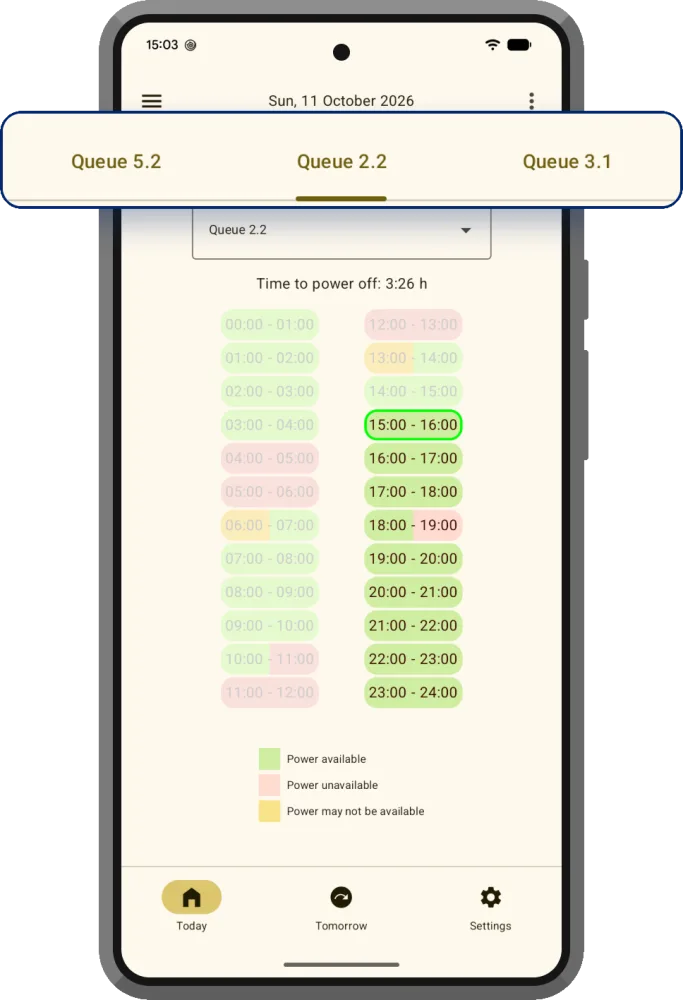
Several queues at once
Follow the queues for your home, work or parents in one app (on Android).
Comfortable for everyone
A mode for people with color vision deficiency and several schedule view options.
Free
All features are free. Ads can be removed with a one-time purchase.
What the app looks like
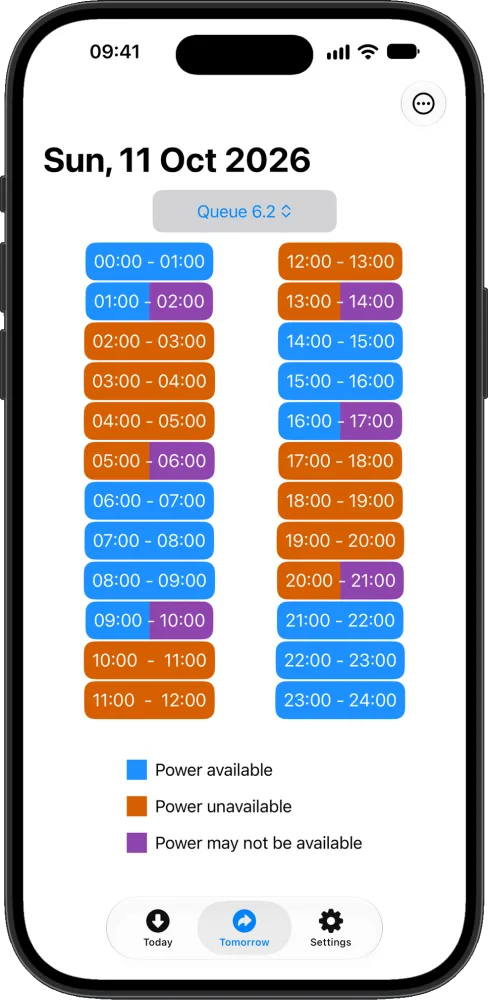
Poltava Svitlo screens on Android and iPhone.
How it works
-
Install the app
Free on Google Play or the App Store.
-
Choose your queue
Don't know your queue? Look it up by address on the Poltavaoblenergo website.
-
Get notifications
Allow notifications and the app will tell you about schedule changes and emergency outages and remind you before the power goes off.
Power outage schedule
This is how the schedule looks in the Poltava Svitlo app, which also sends change alerts and reminders before outages.
- Power on
- Power off
- Possible outage
- Change at half past
Queue 1.1
- 00:00 - 01:00: until 00:30 possible outage, then power on 12:00 - 13:00: power off
- 01:00 - 02:00: power on 13:00 - 14:00: until 13:30 power off, then possible outage
- 02:00 - 03:00: power on 14:00 - 15:00: power on
- 03:00 - 04:00: power on 15:00 - 16:00: power on
- 04:00 - 05:00: power on 16:00 - 17:00: power on
- 05:00 - 06:00: power on 17:00 - 18:00: power off
- 06:00 - 07:00: power off 18:00 - 19:00: power off
- 07:00 - 08:00: until 07:30 power off, then possible outage 19:00 - 20:00: power off
- 08:00 - 09:00: power on 20:00 - 21:00: until 20:30 possible outage, then power on
- 09:00 - 10:00: power on 21:00 - 22:00: power on
- 10:00 - 11:00: power on 22:00 - 23:00: power on
- 11:00 - 12:00: power off 23:00 - 24:00: power off
Tomorrow's schedule has not been published yet. The app will notify you when it appears.
Times are shown in Kyiv time.
Want to be the first to know about schedule changes?
* This app is not affiliated with, endorsed by or representing any government agency. The information provided in this app is for general reference only. For official information, please contact JSC Poltavaoblenergo.
Frequently asked questions
How do I find out my outage queue?
You can look up your queue by address on the JSC Poltavaoblenergo website. Then select it in the Poltava Svitlo app, and the schedule and notifications will be for your queue.
Is the Poltava Svitlo app free?
Yes, the app and all its features are free. The app shows ads, which you can remove with a one-time purchase in the settings.
What notifications does the app send?
The app notifies you about changes to the hourly outage schedule (GPV), listing the queues affected, when tomorrow's schedule is published and when the emergency outage schedule (GAV) is applied. You can also turn on reminders before the power goes off and comes back on.
How do I set up a reminder before an outage?
In the app settings, choose how many minutes before the power goes off and before it comes back on to send a reminder. You can turn reminders off at any time.
Can I follow several queues?
Yes, on Android: add several queues, for example for your home, work or parents, and switch between them. On iPhone the app shows one selected queue, which you can change at any time.
Is there a home screen widget?
Yes, on Android and iPhone. The widget shows whether the power is on right now and when the next outage or restoration will be.
Which towns does the schedule cover?
Towns and villages of the Poltava region served by JSC Poltavaoblenergo, including Poltava, Kremenchuk, Myrhorod, Lubny, Pyriatyn and others.
Where does the outage information come from?
The data comes from open sources, in particular the JSC Poltavaoblenergo website. The app regularly checks for schedule updates and notifies you about changes.
What is GAV and how is it different from GPV?
GPV (the hourly outage schedule) is planned in advance, and outages under it are announced beforehand. GAV (the emergency outage schedule) is introduced without warning because of an accident or a power shortage, to prevent an uncontrolled loss of power across the region (a blackout). GAV has no fixed start and end times, so it cannot be published in advance.
Why is there no power although the schedule says there should be?
The emergency outage schedule (GAV) may have been applied, or there may be a local outage not related to the main schedule. Also check that you have selected the right queue.
Why does the schedule change several times a day?
It depends on the situation in the power system. If Ukrenergo sees that generation does not cover consumption, it adds more outage queues. Poltavaoblenergo follows these instructions to keep the power system balanced.
How can I see in the app what changed in the schedule?
On Android (and similarly on iPhone), there is a “What changed? | Current” switch under the schedule. When your queue's schedule is updated, tap “What changed?”: the app shows the previous schedule with the changed hours framed, and the time of the last change above it. In the text view, the changed lines are highlighted. Tap “Current” to go back to the current schedule. Until the queue's schedule has changed, the switch buttons are inactive. You can turn the switch on or off in the settings.
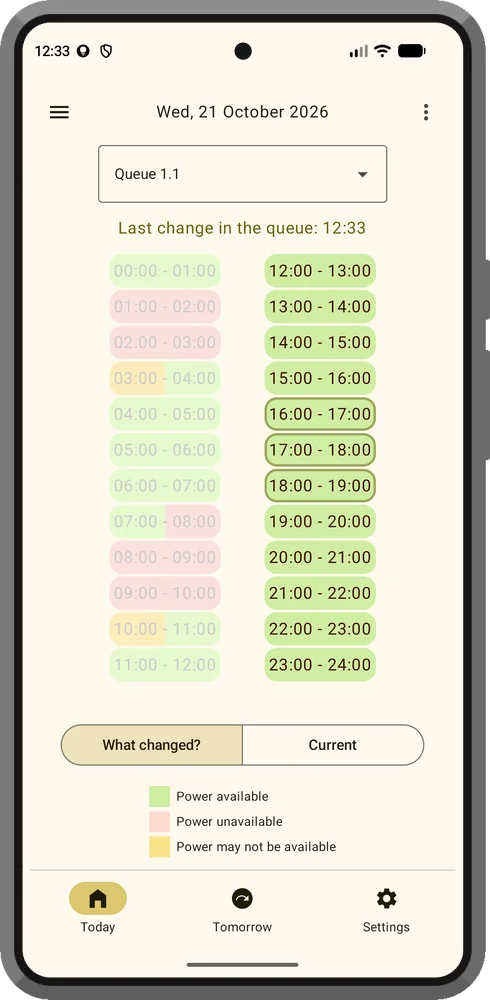
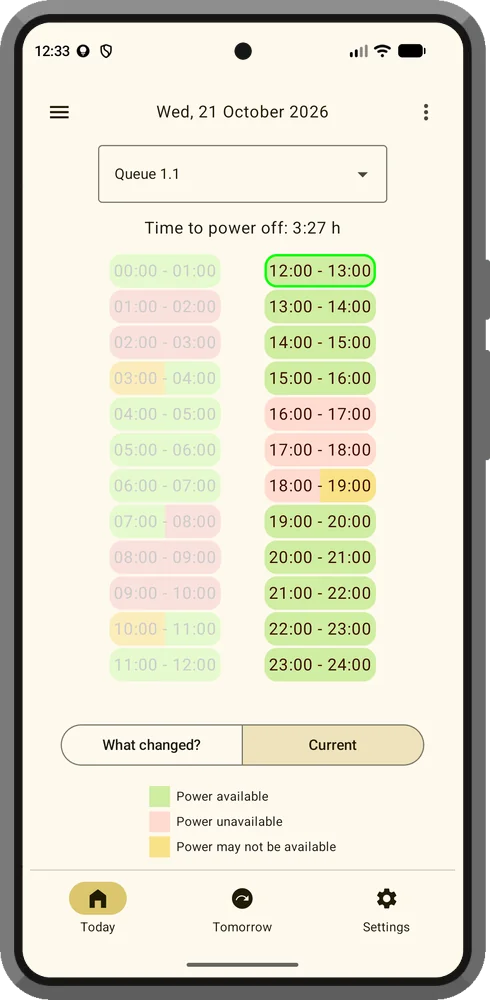
On the left is the previous schedule (“What changed?”), on the right the current one. The framed hours are the ones that changed: in this example, the power was on from 16:00 to 19:00 before, and now there is an outage at those hours. Above the previous schedule you can see when the queue's schedule last changed.
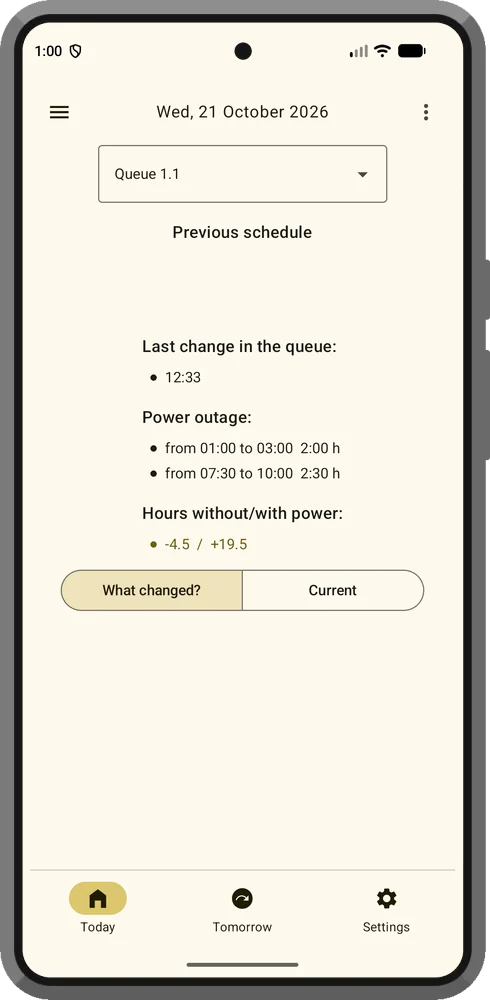
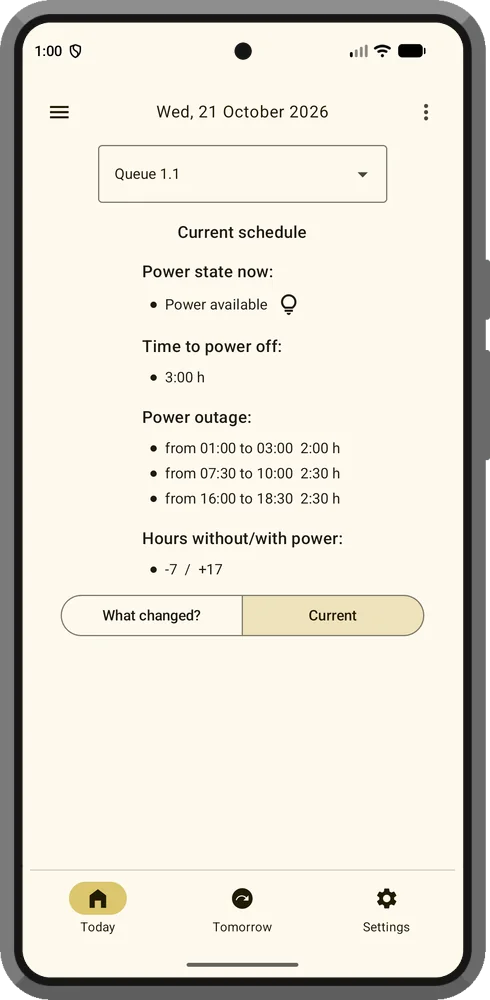
The same in the text view. The previous schedule lists the outages before the change, and the lines that differ from the current schedule are highlighted: in this example, the hours without/with power (-4.5 / +19.5 instead of -7 / +17).
Why has the schedule in the app stopped updating?
This most often happens on Xiaomi, POCO and Redmi phones because of strict battery saving rules. Turn off battery saving for Poltava Svitlo, allow it to run in the background and restart your phone.
Is this an official app?
No. Poltava Svitlo is an independent project not affiliated with government agencies or JSC Poltavaoblenergo. The information is provided for general reference; for official information, please contact JSC Poltavaoblenergo.
Download Poltava Svitlo
Free for Android and iPhone. Know about power outages in advance.
Google Play and the Google Play logo are trademarks of Google LLC.